Loading…
XXSCAM / AUSTRALIA
Explore compact cameras. Find the form that fits your space.
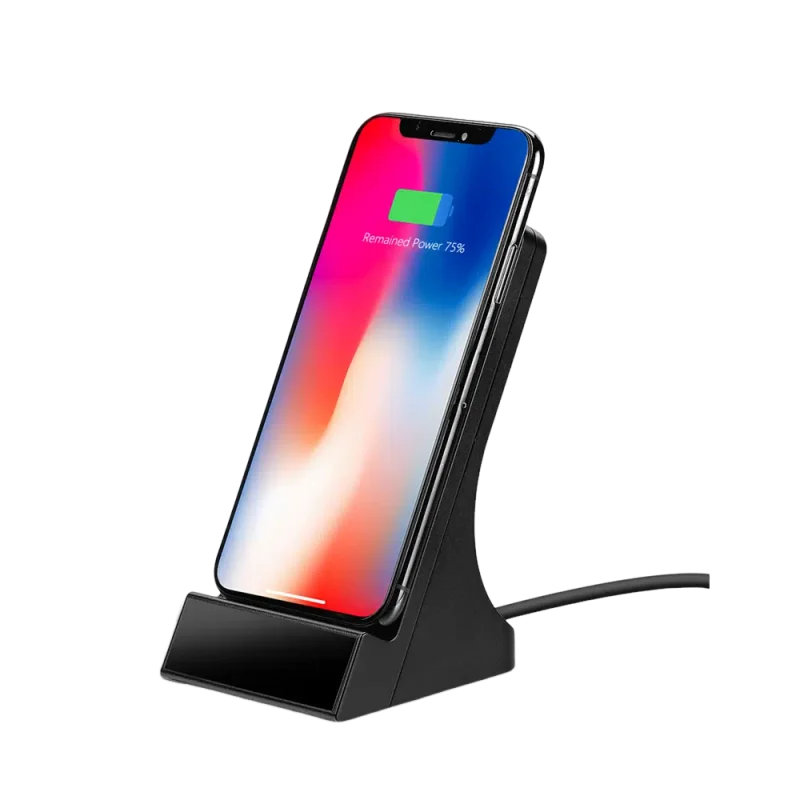
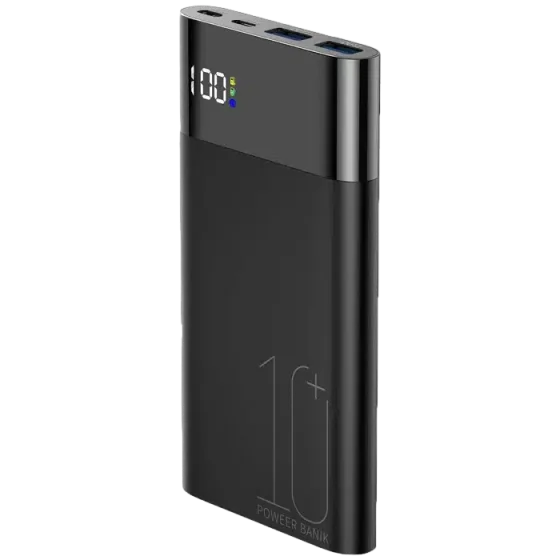
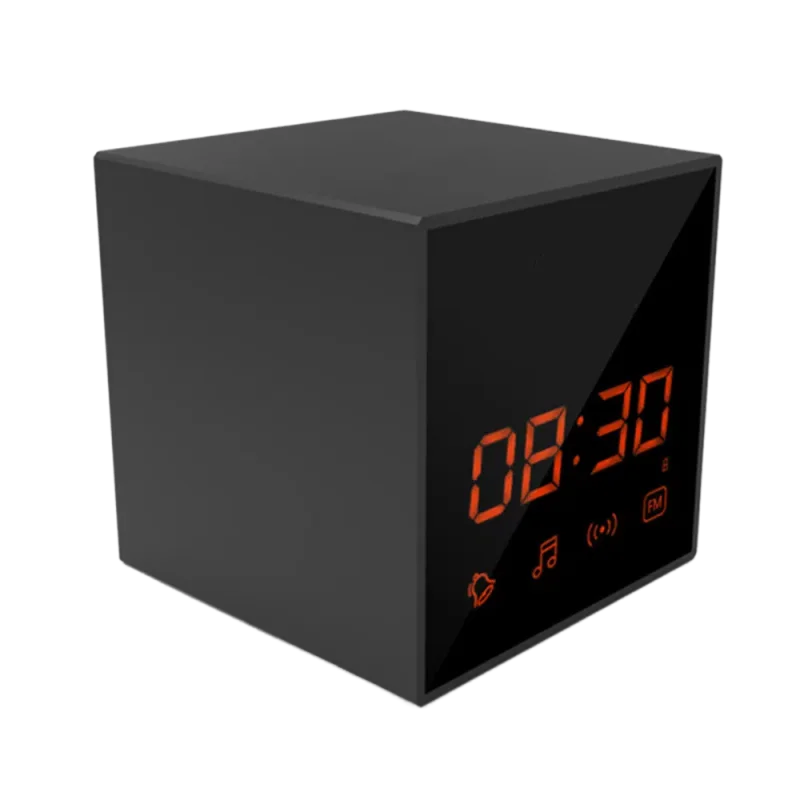
Explore the clock cameraCompare the clock, the charger and the power bank.
Compare the current product selection by format, including clock cameras, charger cameras, power-bank cameras, pen cameras and camera glasses. Open the individual listing to check its functions and availability. The three cameras featured on the homepage are examples from the collection, rather than the complete catalogue.
Image quality. Compare the listed resolution with the detail you need to see. Lighting, lens position and compression also affect the recorded image.
Power and recording time. Check how the camera is powered, and distinguish continuous recording from standby time. Confirm the conditions attached to any runtime figure.
Storage. Check memory-card compatibility and whether the listed model supports loop recording. Keep important footage separately before older recordings are overwritten.
Network and setup. For remote viewing, check the required app, supported network and phone compatibility. Confirm these details for the selected model before ordering.
Low light and placement. Look for a stated night-vision specification where needed. Do not assume an indoor camera is suitable for rain, heat or an outdoor installation.
After-sale support: technical questions about spy cameras — WiFi configuration, SD card formatting, firmware updates, app pairing — require product-specific knowledge.
Compare the specific listing rather than relying only on the store or marketplace name. Check the stated camera functions, included accessories, power requirements and available product information.
A resolution label alone does not describe the complete image quality, and standby time is different from recording time. Ask for clarification when a feature is essential to your intended use.
Before purchasing, compare the final checkout total and delivery estimate. XXSCAM product enquiries can be sent to info@xxscam.com.
Home security and property monitoring is the most common use case. Homeowners and renters installing home security cameras at entry points, garages, and shared access areas — typically as a supplement to or replacement for visible CCTV. A covert camera at entry points removes the limitation of visible cameras being repositioned or obscured.
Rental property inspection — checking for hidden cameras — is the second-largest enquiry category: travellers and Airbnb guests wanting to sweep a rental for hidden cameras before staying. For this use case, the relevant product is a hidden camera detector, not a surveillance camera.
Elderly family member and carer monitoring: families with elderly relatives receiving in-home care use covert surveillance cameras to monitor carer behaviour.
Holiday home and granny flat security: owners use surveillance cameras and covert cameras at entry points and communal areas to monitor access.
Vehicle and personal safety documentation: body-worn hidden cameras and vehicle-mounted covert cameras for personal safety, insurance documentation, and evidence capture.
Use recording equipment only for lawful purposes. Before recording, check the rules that apply to the location, people and type of recording, obtain any required consent and respect privacy. Seek qualified legal advice for your particular situation; a product listing is not permission to record.
Use recording equipment only for lawful purposes. Before recording, check the rules that apply to the location, people and type of recording, obtain any required consent and respect privacy. Seek qualified legal advice for your particular situation; a product listing is not permission to record.
Estimated delivery is 1–2 weeks. Review the destination options, shipping charge and final total at checkout before payment. Customs clearance or carrier disruption can affect arrival times.
For product or order enquiries, email info@xxscam.com. Include the product link, intended setting or order reference, as appropriate.
Compare the selected camera’s functions and power requirements with its displayed AUD price. Review the full checkout total and shipping charge before payment; applicable import charges may be collected separately.
These are planning considerations, not accounts of customer purchases.
For an entrance, check the viewing angle, lighting and available power. For a shared living area, consider the privacy of everyone using the space and obtain any required consent. For a workspace, decide who needs access to recordings and how long footage needs to be kept.
Match these requirements to the specifications on the product page before deciding on a camera.
Compare the current product selection by format, including clock cameras, charger cameras, power-bank cameras, pen cameras and camera glasses. Open the individual listing to check its functions and availability. The three cameras featured on the homepage are examples from the collection, rather than the complete catalogue.
WiFi connectivity and local recording are different functions. Remote viewing needs the connection and app supported by the selected model; offline recording depends on that model's storage and recording modes. Check the individual listing and confirm offline operation before ordering if it is essential.
Audio support varies by model. Check whether the individual camera lists a microphone, audio recording or two-way audio, and confirm how that function works in the intended recording mode. A camera's video resolution does not establish audio capability. Contact info@xxscam.com if the listing is unclear, and obtain any required consent before recording.
Check the selected model's stated recording time and power requirements. Continuous recording, motion-triggered recording and standby time describe different conditions; a standby figure is not a continuous recording figure. Connectivity, settings and operating conditions can affect runtime. Do not apply one model's battery estimate to another.
Use the individual product listing to check supplied accessories, memory cards, cables, plugs and power requirements. Do not assume that a regional storefront includes a particular adapter or storage card. If an item is essential for setup and the listing does not confirm it, email info@xxscam.com before ordering.
Choose a format for the intended position and recording task, then check power, storage and connectivity. Hidden-camera formats suit placement in an object; WiFi models are relevant when remote viewing is needed; the current wearable category focuses on camera glasses. These categories can overlap, so compare the exact product rather than relying on its category name alone.
Open a product to see the displayed price and currency, then review the destination options, shipping charge and complete total at checkout before paying. Do not assume that a regional storefront guarantees a local warehouse or delivery to every address. Check the published shipping information and contact info@xxscam.com if your destination or an essential delivery detail is unclear.
Yes. Email info@xxscam.com with the product link and the details that matter for your selection: intended position, available power, whether you need remote viewing and any required accessory. Ask for confirmation of missing specifications before ordering. Check the exact listing and final checkout total after you have chosen a model.